Anaesthesia
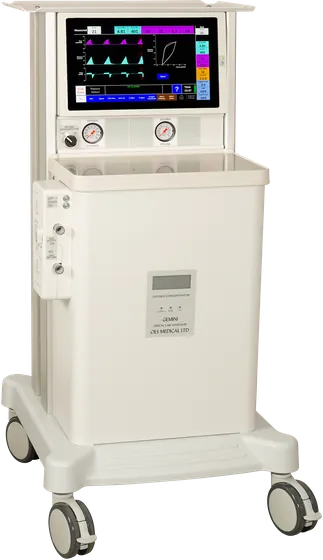
CygnusAnaesthesia Ventilator
Anaesthesia ventilator: ease of use with sophisticated modes, on a large colour touch screen.
- Modes
- Volume / Pressure, Spontaneous, PSV-Plus, SIMV, SMMV
- Screen
- Large clear colour touch screen
- Battery backup
- 2 hours
- Weight presets
- 5, 10, 25, 50, 100 and 150 kg
Overview
Combines ease of use with sophisticated modes
Volume / Pressure, Spontaneous, PSV – Plus, SIMV and SMMV modes, set on a large clear colour touch screen.
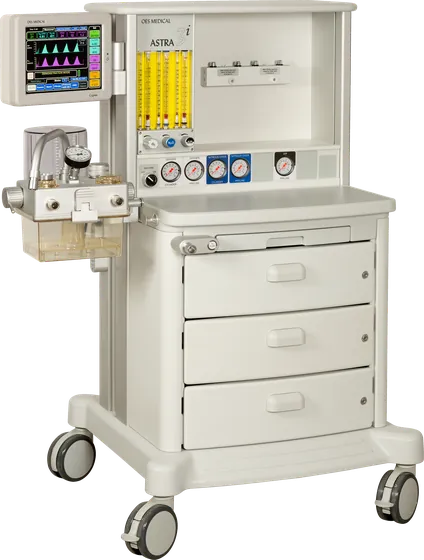
The Astra 3i anaesthesia workstation has an integrated, pneumatically driven and microprocessor controlled Cygnus multifunction ventilator with large 10.4” colour touchscreen.
- Combines ease of use with sophisticated modes
- Large clear colour touch screen
- Volume / Pressure, Spontaneous, PSV – Plus, SIMV and SMMV modes
- Dual Waveforms
- High quality easy to use with low running costs
- Intuitive touch screen control with large easy to read colour screen
- Integrated Oxygen monitor with pop up key pad adjustment
- Variable orifice based Spirometry
- Electronic PEEP
- 2 hour battery backup
- Patient select initial screen
- User selectable patient weight default settings for 5, 10, 25, 50, 100 and 150 Kg
- User saveable patient configured settings with custom naming facility – six off
- Patient setting confirm button
- Touch screen set buttons for ventilator settings
- Pop up key pads for adjusting ventilator settings – Oxygen alarm, Minute volume, Tidal volume, Pressure limit and Target, PEEP, Rate – BPM, and I:E Ratio
- Measured value display box
- Colour coded wave forms
- Mode button display box with second row prompt arrow
- Ventilation mode select button – usable in case with user confirm
- Mute button with 120 second delay and reset facility
- Gas mix option with pop out menu
- Language options
- Time
- Case time with stop and reset facility
Cygnus
On the touch screen
Patient select, pop up key pads and the setting confirm prompt.


Product range